Resume Maker Tutorial - ResumeBoostAI
If you are running out of time, please take a quick look at our demo video for the complete functionality of ResumeBoostAI. If you like reading a bit more, then please continue with the resume maker tutorial below.
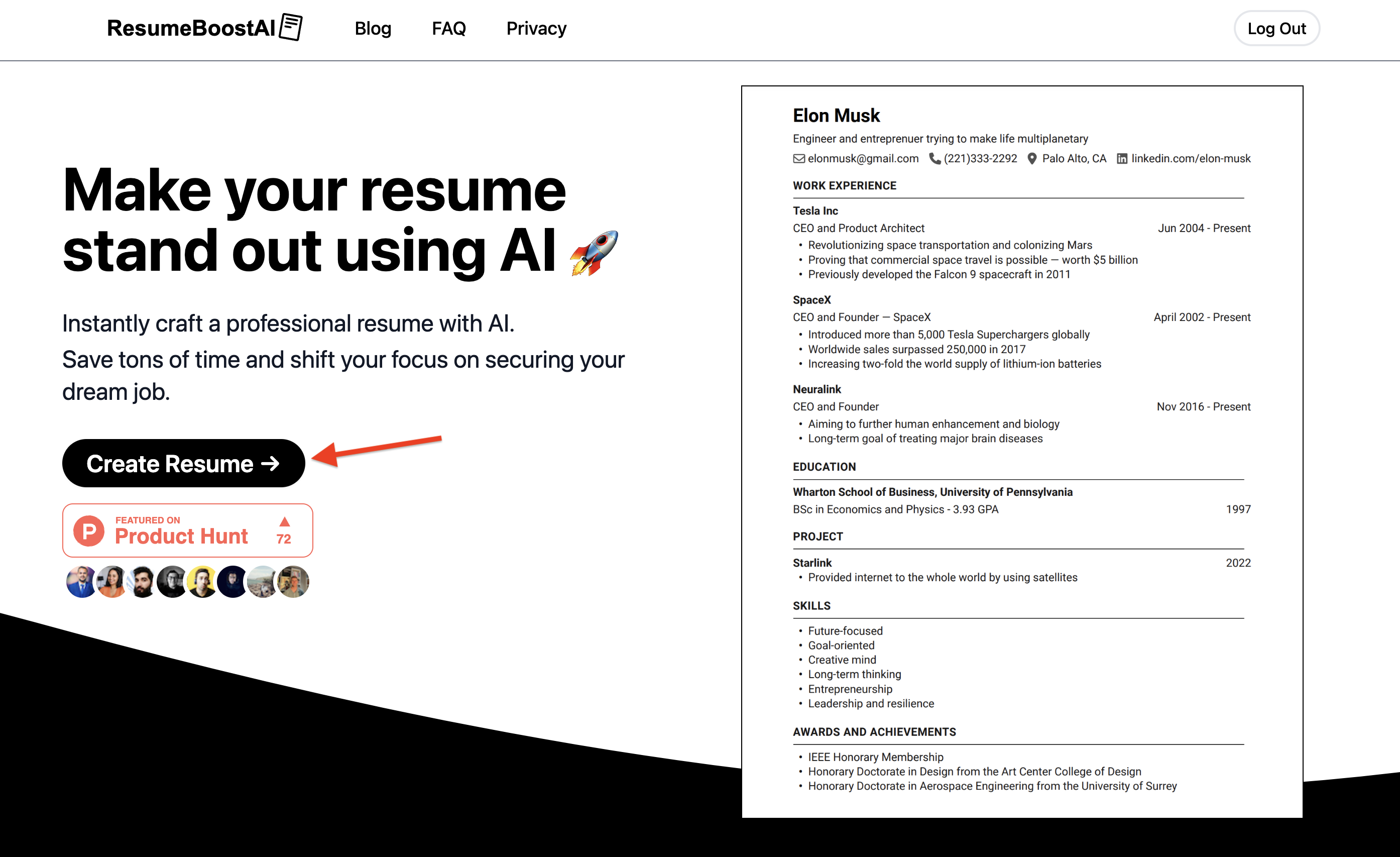
1. Start by going to ResumeBoostAI homepage
This is how the homepage looks like.
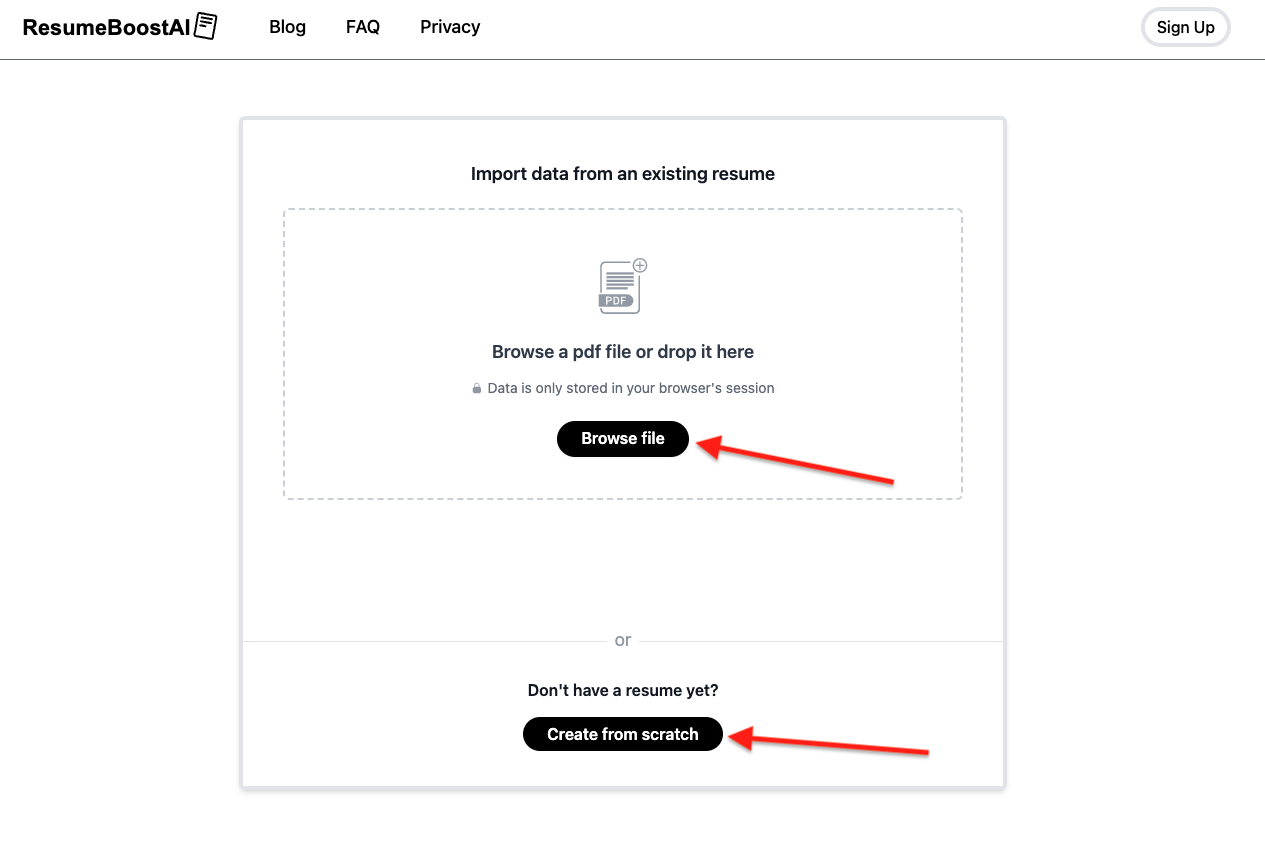
2. Import or Create from Scratch
If you already have a resume, you can upload it, and ResumeBoostAI parser will do its best to pull the information into the resume maker.
If you don't have a resume, no problem, you can create one from scratch using AI.
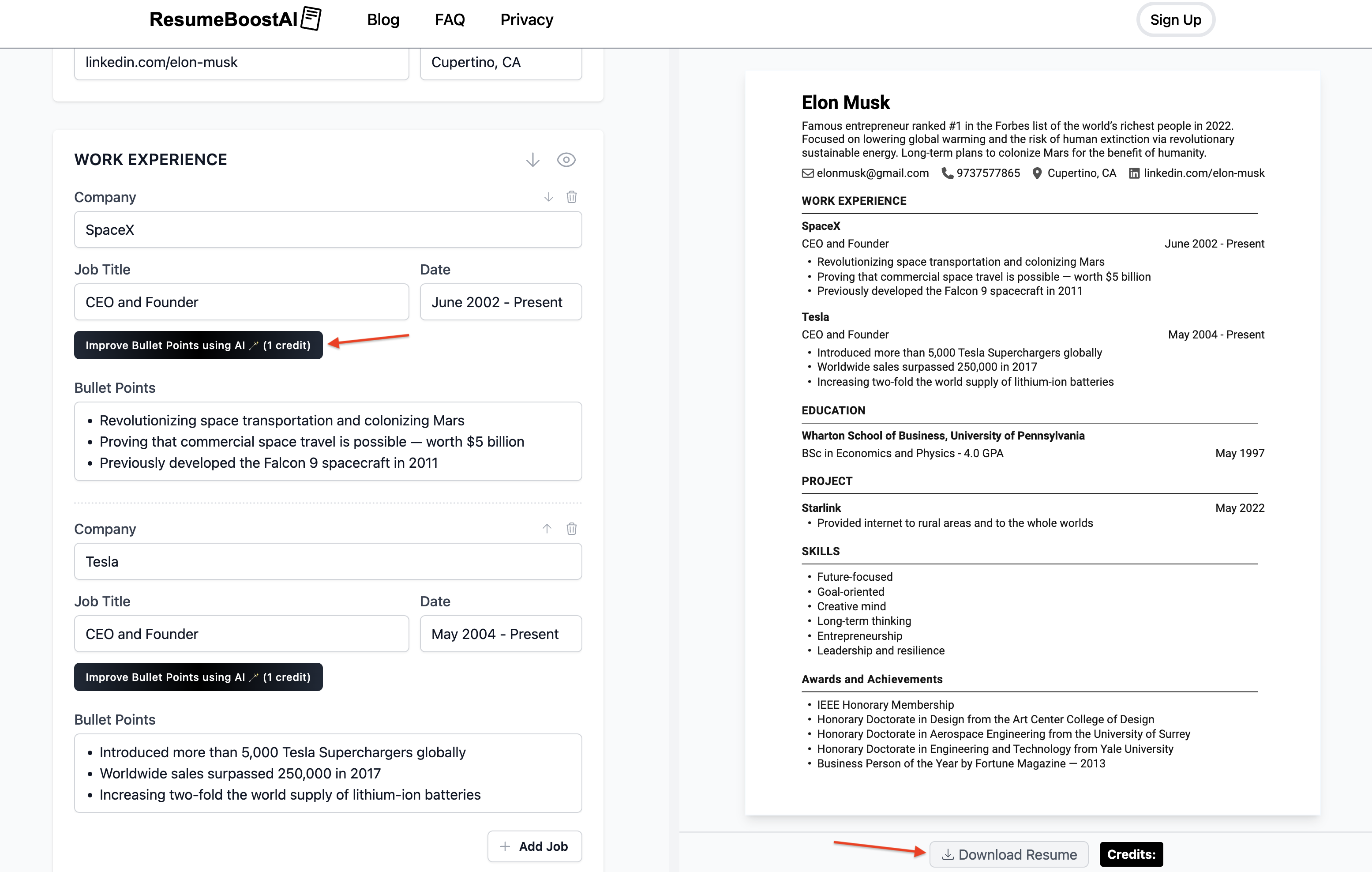
3. Build your resume using AI, edit and download PDF
With our intuitive resume maker, you can use AI to improve different parts of your resume as you go along.
Add custom sections or edit existing ones. When ready, download your professional resume in PDF format.